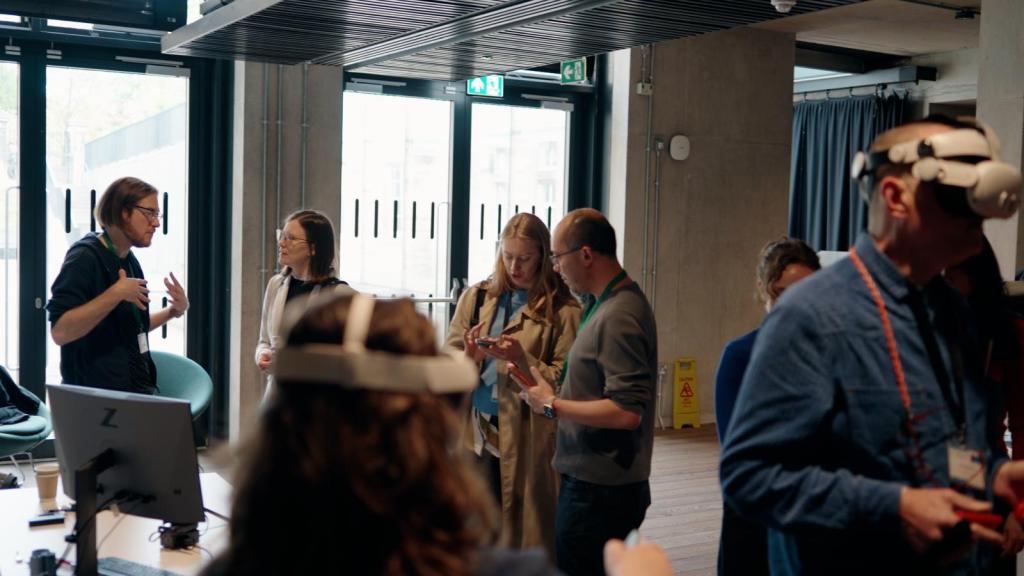
We were invited to demo Strandfall at Creative Tech Scotland Gathering 2026 last week. It was a great experience — dozens of people came to our table to find out more about Strandfall, ask questions and offer feedback on our ideas.
By watching people interact with the demo and talking through the design with them, challenges and opportunities regarding the ePaper display, the receipt printer, battery longevity, and audio feedback came to light.
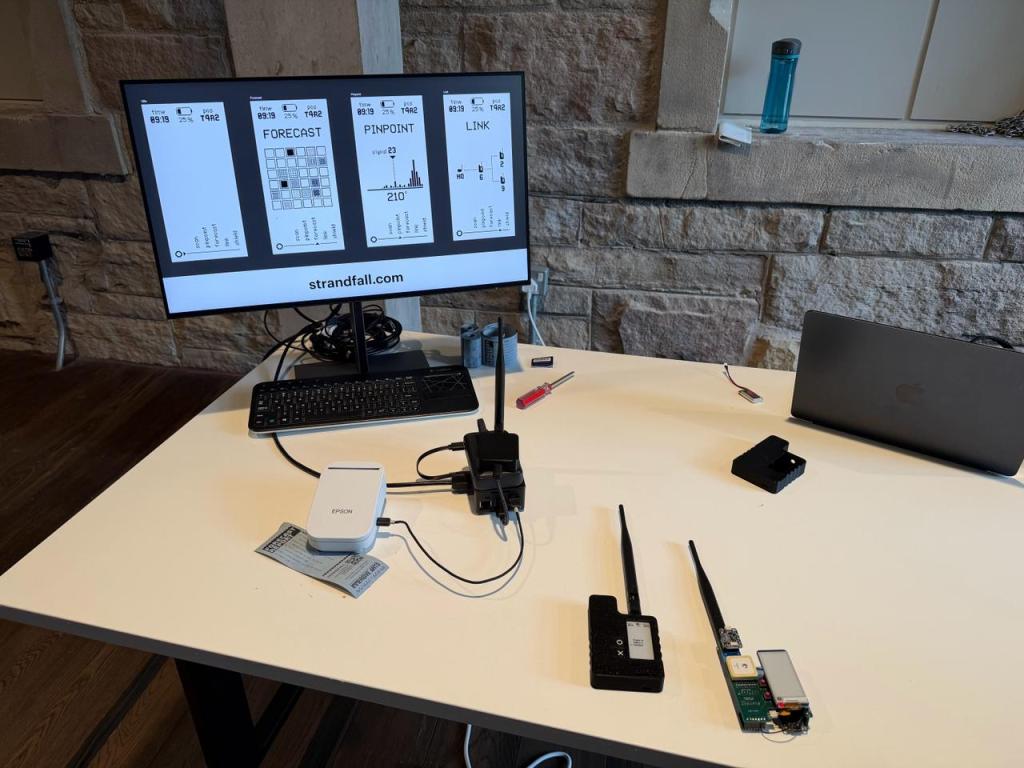
The demo consisted of a “vertical slice” of the outdoor experience that we’re designing. I wrote firmware and software for our “McNair-Feldman Devices” (or MFDs; see my previous post for more on these), our receipt printer, and a Raspberry Pi so that:
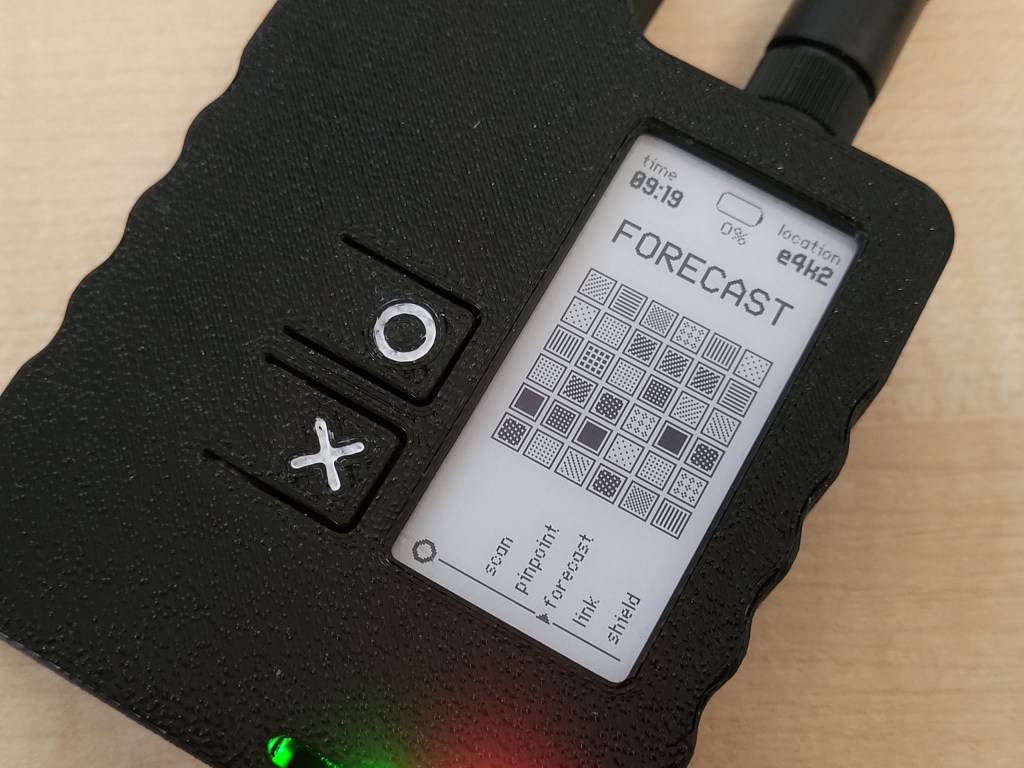
- A message on the MFD’s screen encourages you to pick it up and navigate the menu by pressing one of the two buttons.
- You press the button to switch between five different functions. Only the “Forecast” function is available to try in the demo.
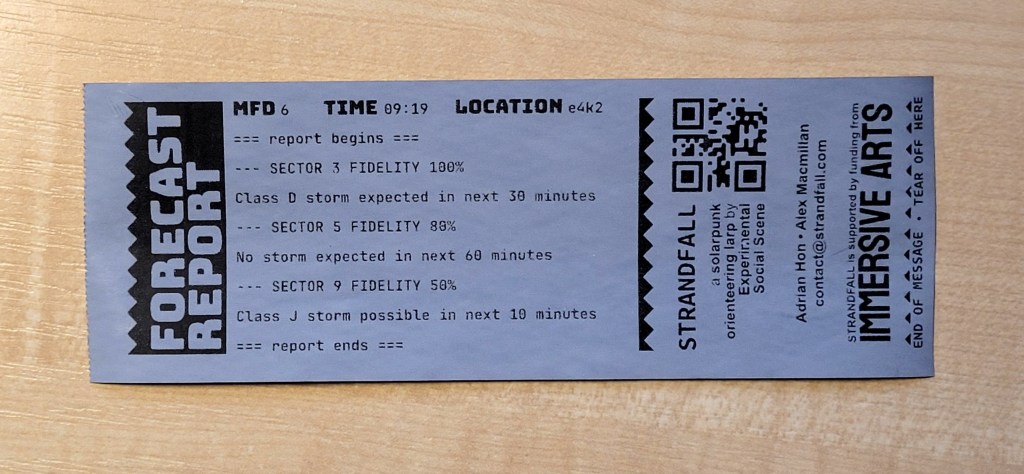
- When you select the “Forecast” function, the device shows a brief animation. Once the animation is complete, the device sends a LoRa radio message to the Raspberry Pi, which prompts the receipt printer to print a forecast report.
- After the forecast report, we print some project and contact information — the receipt doubles as a business card for you to take away with you.
ePaper displays are tricky to build intuitive UI for
Watching people explore the demo immediately confirmed what I suspected while prototyping — updating an ePaper display by performing a “full refresh” kind-of sucks and totally gets in the way of building a navigable UI.
If you’ve seen an e-reader like a Kobo or Kindle in action, then you know what a “full refresh” looks like. To change what’s on the display, the pigment particles in the display are cycled between positive and negative charges that cause the whole panel to flash from black to white several times. It’s jarring to look at but, worse, it means the time between the button press and the screen finishing its update is two whole seconds, ie. an eternity.
There’s a partial (haha) solution to this: the “partial refresh”. This directs the panel to apply a strong charge, driving the little pigment particles to show a new colour without flip-flopping the entire panel. It takes just 300ms. The documentation adds a lot of warnings around partial refreshing, most of them annotated to say that if you do it wrong, it will break the panel, and if the panel breaks, that’s on you.
Sidebar: ePaper displays (allegedly) hate everything
In fact while we’re here let me get something off my chest: across the linked documentation above and other guidance that I’ve collected from the internet, it seems virtually anything you do with an ePaper display will probably destroy it. Wisdom I’ve collected includes:
- Don’t update the display too often, this makes the particles angry.
- Don’t leave the display too long without updating it, or the pigment particles will get too comfortable and stop moving. Store the device with the screen blank, because I guess the particles don’t get too comfortable that way.
- Don’t use the display in direct sunlight (!!!), because it makes the eInk particles sad.
- Don’t let the display get warm, the display doesn’t work well when it’s warm. The particles like to be cold, but not too cold.
- Don’t partially update the display too many times without doing a full display update, or the particles might get super jammed one way up, or the other. The maximum number of partial updates you can do is twenty, or seven, or three.
- Don’t partially update the whole display, instead restrict changes to small regions of the display, because [gestures at the sky]. By the way, restricting updates to smaller regions of the display is not a feature of the Arduino driver provided by the manufacturer so … this whole “partial update of partial screen region” might just be some kind of myth. It maybe has something to do with “brushes”. I probably need to spend more time with the datasheet.
- Don’t leave the display “powered” for too long, always “sleep” the display between updates. Leaving the display “powered” makes it grumpy.
- Don’t draw vertical 1-pixel lines to the display, since this makes the waveform driver thingy resent you. Or is it horizontal lines? Which way is the screen oriented anyway? Regardless, don’t do it.
- Don’t draw graphics all the way up to the edge of the display. The edges of the display are not for using, they’re for looking at and for surrounding the non-edge parts of the display.
All of this ultimately made me even more excited to take the MFD to CTSG and give it to strangers, since if the ePaper display made it to the end of the day without melting or storming off, it could be that some of the above warnings are overblown. Guess what: after a full day of punishment, the ePaper display still works beautifully.
Back to making intuitive UI for ePaper displays
So, partial refreshes make the UI more responsive, however, you can only start doing partial refreshes once you’ve done a preparatory full refresh. That means the first button press makes the screen strobe several times, and after that, everything gets a little bit nicer.
This caused confusion for many people. My plan for addressing this is to change the initial screen so that it reports that the device is “in standby” or “asleep”. The on-screen instruction will say to press a button to “wake” the device.
That first button press then uses a full refresh to bring the device into “interactive” mode, allowing for faster partial updates while the player browses the menu and selects a function. When the player has chosen a function, I can use another full refresh to prepare for partial updates while the device performs its task. When the task is complete, a final full refresh returns the device to the “standby” state.
Add sound
Multiple conversations with folk involved in immersive experiences came around to the value of sound and aural feedback. The current MFD design doesn’t include a speaker or buzzer. This makes it much harder for the device to get the holder’s attention — the obvious moment in which we want to do this is when the user encounters a strand storm.
We quickly ordered some buzzers, and for now I can retrofit them in the existing MFDv3 design. But if we go ahead with this change I’ll probably revise the PCB before building more devices.
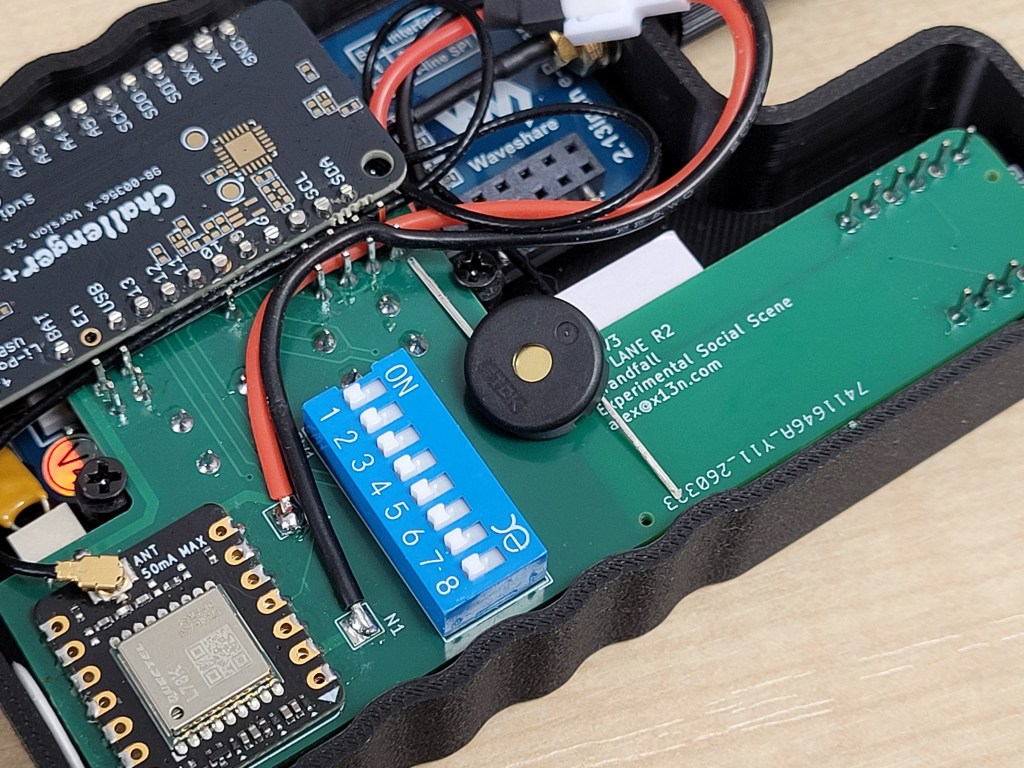
The battery is good … enough
We plan for the Strandfall experience to be about three hours long. Ideally, the MFD’s battery would last for more than six hours so I can charge the MFDs before the event and then forget about it.
At CTSG I set up at 8am and the event ran until 5pm. This gave me a chance to see how the MFD battery fared over the course of the day while receiving a pretty high level of use. The device lasted about four hours before needing a recharge.
This is not an all-clear, all-good-to-go finding though: I intentionally put the GPS radio to sleep for the demo, knowing that we would be on the ground floor of a four-storey building. I’ll need to do a lot of work in the lab to measure current consumption under various modes of operation, and to toggle peripherals on and off as and when they are needed.
Without the certainty of hours to spare, we’re more likely to make charging the MFDs into an intentional part of the experience design.
Meanwhile, I was able to run the Raspberry Pi 3 from a 10,000 mAh power bank all day, finishing at a charge of about 40%. Running the Pi on battery power wasn’t strictly necessary — no-one would have objected to the Pi being powered from a wall adapter — but it was great to confirm that this works so well.
The receipt printer works great! Probably?
We’re focussed on building an experience where you don’t ever need to look at at an illuminated screen, so we’re looking for alternative ways to feed new information into the game — forecasts, findings regarding discovered points of interest, communications updates from the world beyond the area of play. People at HQ will receive this new information from the receipt printer.
The receipt printer functioned great at CTSG, with one exception: from time to time, it would print a garbled receipt.
I was both dismayed and delighted by this. Dismayed, because we need the printer to be very reliable. If it breaks down during the game, we need a whole new way to share new information with players. And delighted because the garbled receipts look cool as hell — the graphics on the receipt emerge misaligned, and can break down entirely into seemingly-random ASCII characters. This would be an amazing effect to produce on demand in the game, reflecting worsening storm conditions and adding a new impediment to players’ efforts.
Foolishly I gave away or threw away the receipts that demonstrated the most interesting corruption, but I still have one partial example, photographed below.
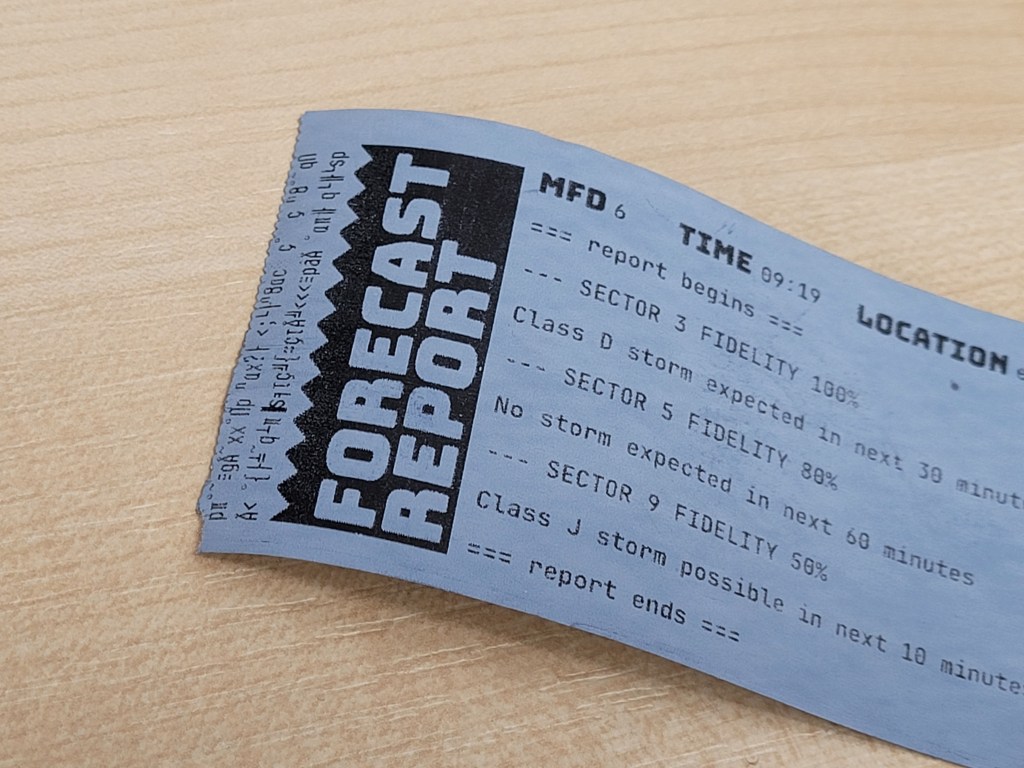
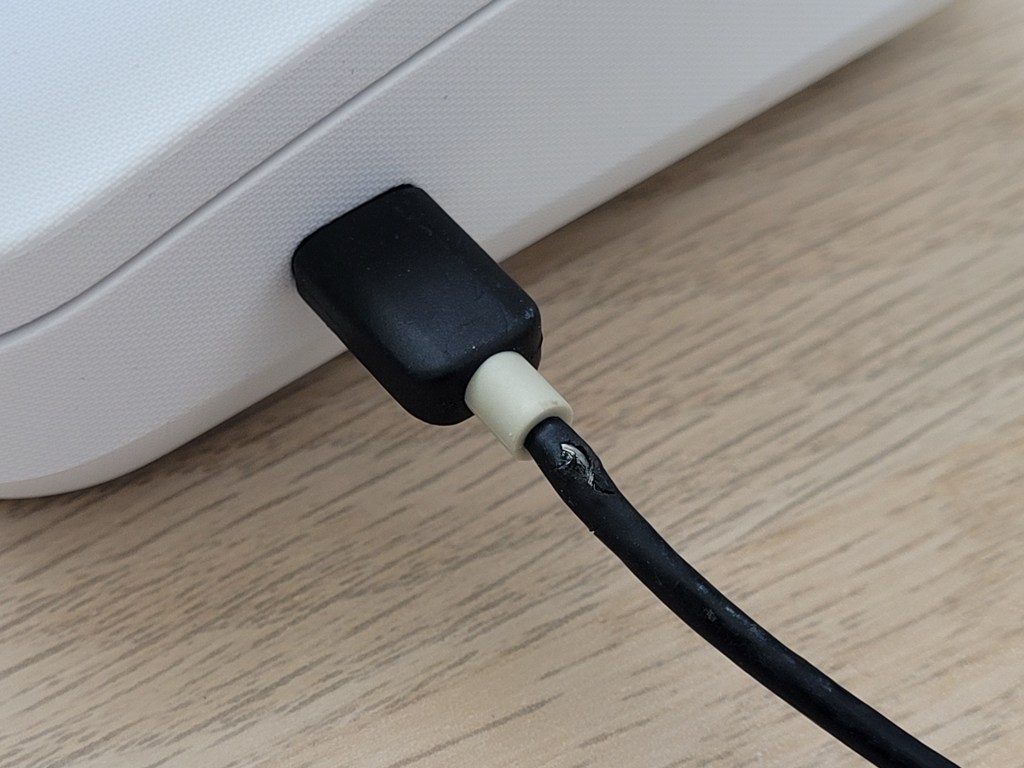
I am almost certain that this failure was due to a frayed USB cable. I replaced the cable with a spare and the printer functioned flawlessly from that point on. However, I wasn’t able to intentionally reproduce the effect with the suspect cable when back at home.
I have two options, though. Either I can experiment with intentionally corrupting data before I send it to the printer, or I can take inspiration from the receipts we saw and reproduce the effect by designing glitchy graphics by hand. All fun experimentation for the future.
The MFDs should be responsive to people’s access needs
In one particularly illuminating conversation, an attendee said the text was too small for them to read. I had in mind this might be a problem as soon as I put our UI mockups on the ePaper display for the first time, but this was a valuable confirmation.
Thank you to this attendee, who was patient while we experimented with some other larger fonts. They also had the excellent idea that one or more MFDs could have pre-mounted magnifying lenses (like the Magnif-I lenses you can buy at Waterstones) to make the screens more legible. This fits perfectly with the post-mass-production, custom- and hand-made feel we want the MFDs to have in the game.
Demoing is good, do it early and often
Putting our hardware it into the hands of real people, seeing how they used it, and seeing what worked and what didn’t was extremely valuable. It validated many of the choices we’ve made so far, and brought problems and weaknesses to light.
It was also a huge pleasure to meet people excited about our project. If you were one of them, thank you so much for stopping by, and please make sure you’re subscribed below so you can hear from us when we announce the date and open sign-ups.
Many thanks to Caroline Parkinson at the University of Edinburgh and Chloe Spiby Loh at Cryptic for inviting us to demo at CTSG 2026.

Leave a comment